
If you are planning to do your postgraduate studies at the University of Allahabad, the first thing you need to do is fill the Allahabad University PGAT 2026 Form correctly. Every year, thousands of students apply for PG admissions at Allahabad University, and many of them lose their seats not because of low marks but because they filled the form incorrectly.
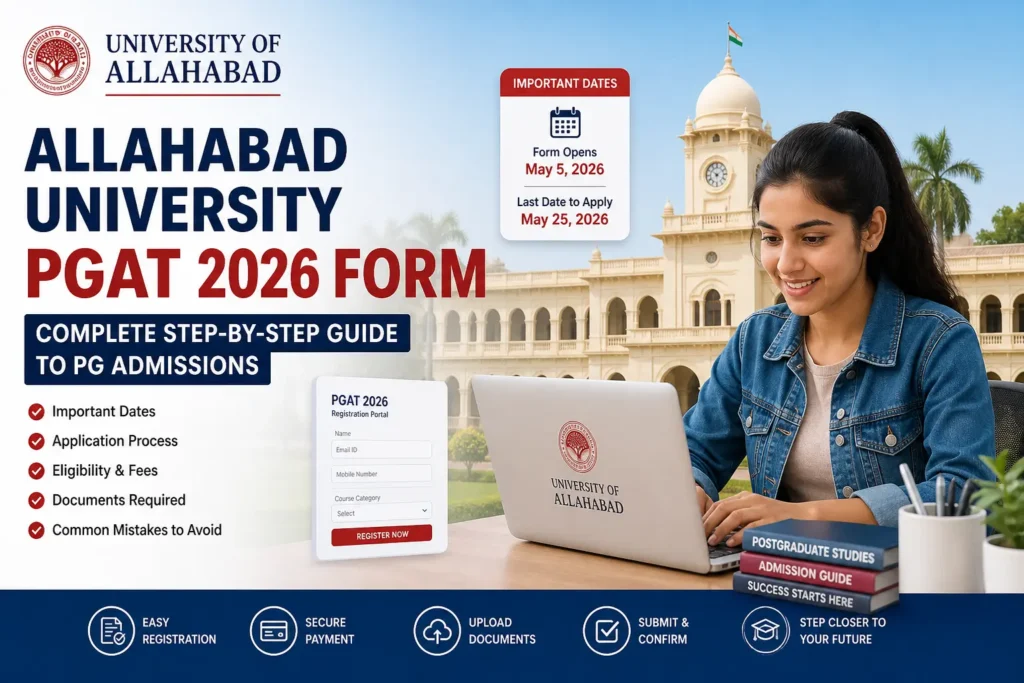
This guide is for students who want clear, step-by-step help with the AU PG Entrance 2026 registration. Whether you are a fresh graduate or someone reapplying, this post covers every section of the form, including the parts that confuse most people.
What Is PGAT 2026 and Who Should Apply?
PGAT stands for Postgraduate Admission Test. It is the entrance exam conducted by the University of Allahabad for students who want to get into MA, MSc, MBA, B.Ed, M.Ed, MCom, LLB, and other PG programs.
Who can apply?
- Students who have completed their graduation in any stream
- Final-year students whose result is still awaited (a “Pending” option is available in the form)
- Students who appeared in PGAT before but did not get admission
Think of PGAT as the gate to the university. You need to clear this entrance to get a seat in your desired PG course at AU. The better you understand the form filling process, the smoother your entry will be.
If you are still deciding which subject to pursue for your Master’s, reading about career and course options for graduates can help you make a more informed choice before filling out the form.
Important Dates for Allahabad University PGAT 2026 Form
Before you do anything else, note these dates. Missing the deadline means waiting another full year.
| Event | Date |
|---|---|
| Application Form Opens | May 5, 2026 |
| Last Date to Apply | May 25, 2026 |
| Link for Online Registration | Click to Visit |
| User guide for creating ABC Id | Click to View |
| Press Release for PG Admission | Click to View |
| PG Registration / Counselling: Email id:- Technical HelpLine No – (Timing: 09:30 AM to 6:30 PM) | aupraveshhelpdesk2026@gmail.com 7355191788, 6393925008 |

The form is open for only about three weeks. That is not a lot of time, especially if you still need to create your ABC ID (covered in Section 6). Start the process on the first day itself. Do not wait for the last week because the portal slows down significantly due to heavy traffic near the deadline.
PGAT 1 vs PGAT 2 vs IPS: Which Course Category Is Right for You?
When you open the registration portal, the first thing you have to do is select the correct course category. Choosing the wrong one means your form goes to the wrong department and your fee is wasted.
| Category | Programs Included | Fee |
|---|---|---|
| PGAT 1 | MA, MSc (History, Economics, English, Hindi, Philosophy, Political Science, Sociology, etc.) | ₹ 1,000 |
| PGAT 2 | B.Ed, M.Ed, MBA and other professional courses | ₹ 1,600 |
| IPS | MSc Food Technology, MCA, M.Voc | Separate structure |
| Law and Commerce | LLB, LLM, MCom | ₹ 1,000 |
Read this table carefully and match your desired program before clicking anything on the portal. If you are unsure, check the official Allahabad University prospectus for the full subject list under each category.
इलाहाबाद विश्वविद्यालय PGAT-II और IPS Result 2026 घोषित: अभी डाउनलोड करें स्कोरकार्ड
Application Fees for AU PG Entrance Exam 2026
The application fee is non-refundable. Pay the correct amount for your category the first time.
| Course Category | Application Fee |
|---|---|
| PGAT 1 (MA, MSc Arts and Science) | ₹ 1,000 |
| Law and Commerce (LLB, LLM, MCom) | ₹ 1,000 |
| PGAT 2 (Professional Courses) | ₹ 1,600 |
Things to remember about fees:
- If you are applying for more than one category, you pay the fee separately for each
- Keep your UPI transaction ID or payment receipt screenshot saved
- The acknowledgement slip you download after payment is your official proof of submission
- No refund is issued even if you miss the exam later
Step-by-Step Guide to Fill the AU PGAT 2026 Form
Follow these steps in order. Do not rush. A small typo in your name or date of birth can create problems during document verification at the time of admission.
Step 1: Visit the Official Portal
Go to the official Allahabad University admissions portal and select your course category (PGAT 1, PGAT 2, IPS, Law, or Commerce). Do not rely on WhatsApp forwards or third-party sites for the link.
Step 2: New Registration
Click “New Registration” and fill in your basic details:
- Full name (exactly as on your 10th certificate)
- Father’s and Mother’s name
- Nationality
- Mobile number (your own active number: credentials are sent here)
- Email ID
- Gender
- Date of Birth
Double-check every field before clicking “Proceed.”
Step 3: Receive Login Credentials
After basic registration, your Login ID and Password will be sent to your mobile via SMS. Your password is usually your Date of Birth by default. Save this SMS immediately. Take a screenshot. Many students delete the message and then cannot log back in.
Step 4: Fill out the Detailed Application
Log in and fill in the next level of personal details:
- Domicile state (Uttar Pradesh for most local students)
- Caste category (General, OBC, SC, ST)
- Aadhaar card number
- Parents’ or guardians’ annual income
Be accurate here. Caste and income details are verified with original certificates at the time of counselling. Wrong information can lead to the cancellation of your admission.
Step 5: Address and Educational Qualifications
Enter your permanent address and correspondence address. Then fill in your full academic history:
- 10th: Board, passing year, roll number, total marks
- 12th: Board, passing year, roll number, total marks
- Graduation: Year by year details (Part 1, Part 2, Part 3), subjects studied each year, marks obtained
If your final graduation result is pending, select the “Pending” option. You will need to submit the original marksheet later at the time of admission.
Step 6: Upload Photo and Signature
- Upload a recent passport-size photograph with a plain background
- Upload your signature on white paper
- Both files should be in JPG/JPEG format, ideally under 100 KB each
- Use a document scanner app for clean images — a blurry photo is one of the most common reasons for form rejection
Step 7: Pay the Fee and Submit
Pay the fee online via UPI, net banking, or debit/credit card. After payment, download and save your application acknowledgement slip. This slip confirms your form has been successfully submitted.
How to Create Your ABC ID via DigiLocker (Mandatory Step)
An ABC ID is mandatory. Without it, the PGAT form will not let you proceed to the submission stage.
ABC stands for Academic Bank of Credits. It is a Government of India initiative that digitally stores your academic credentials and credits, much like a bank account stores your money.
Steps to create your ABC ID:
- Visit the official DigiLocker website and create an account using your Aadhaar-linked mobile number
- After signing up, search for “Academic Bank of Credits” inside DigiLocker
- Link your academic institution and details when prompted
- Your 12-digit ABC ID will be automatically generated
- Copy this number and enter it in the relevant field of your PGAT form
This process takes about 10 to 15 minutes if done without interruption. Complete this step before you start filling the main PGAT form so you are not stuck midway when the portal asks for it
The Hostel Selection Rule That Most Students Get Wrong
This is one of the most important tips in this entire guide. Many students make this mistake and regret it later.
When you reach the “Hostel Required” section, always select “Yes” even if you are not sure whether you will actually live in the hostel.
Why this matters:
| Your Selection | What Happens |
|---|---|
| Yes | You are included in hostel allotment cut-off. You can decline the room later if you do not need it. |
| No | You are permanently removed from all hostel allotment processes. Cannot be reconsidered later. |
If you select “Yes” but later get a room you do not want, you can simply decline it. No harm done. But if you select “No” now and later need a room, the system will not consider you at any point during the admission cycle. The option is permanently closed.
Think of it like buying a train ticket. You can always cancel later, but if you do not book one, you cannot board when the train is full.
Subject and Non-Subject Concept in PGAT 1 Explained Simply
This is the most confusing part of PGAT 1 registration. Many students either miss subjects they should apply for or apply under the wrong category. Here is a clear breakdown.
Subject 1 and Subject 2
You can select up to two subjects for the entrance exam, but only from subjects you studied in the final year of your graduation.
Example: If you did BA with History and Political Science in your third year, you can select:
- Subject 1: History
- Subject 2: Political Science
You will take entrance exams for both, and admission will be based on the higher score.
What Is the Non-Subject Concept?
Non-Subject is for students who want to do a Master’s in a subject they did not study in their final graduation year.
Example: You did a BA with Philosophy and Sociology in your final year, but you want to pursue MA in Political Science.
Since Political Science was not part of your final year, you cannot directly appear in its entrance exam. You apply under the “Non-Subject” category for Political Science.
How Non-Subject admission works:
- You do not give a separate exam for the Non-Subject
- Your admission score for Political Science = average of your marks in Philosophy and Sociology entrance exams
- After the results, you wait for the separate Non-Subject cut-off list
- This cut-off usually comes out later than the regular list
- The cut-off is often higher since fewer seats are reserved for Non-Subject candidates
Important restriction: Some subjects, like Geography, cannot be applied under Non-Subject if you have not studied them at any stage of your graduation. Always verify the allowed Non-Subject list on the official portal before selecting.
| Subject studied in the final graduation year | Apply As |
|---|---|
| Subject studied in final graduation year | Subject 1 or Subject 2 |
| Subject NOT studied in final year but want to pursue MA in it | Non-Subject |
| Subject never studied at any graduation level | Cannot apply (check official list) |
Documents and Educational Qualifications You Need
Keep all documents ready before you sit down to fill out the form. Switching tabs to find documents midway can cause session timeouts on the portal.
Academic Documents:
- 10th mark sheet and passing certificate
- 12th mark sheet and passing certificate
- Graduation mark sheets (Part 1, Part 2, Part 3)
- If the final result is pending, Part 1 and Part 2 mark sheets at a minimum
Personal Documents:
- Aadhaar card (for number entry and ABC ID generation)
- Caste certificate (OBC, SC, ST applicants)
- Income certificate of parent or guardian
- Passport-size photograph (recent, plain background)
- Signature on white paper (clean, dark ink)
Digital Requirements:
- Active mobile number linked to Aadhaar
- Working email ID (form credentials are sent here)
- 12-digit ABC ID from DigiLocker (see Section 6)
For a broader overview of what documents students typically need for university admissions in India, visit our university admission guide for students.
Tips to Avoid Common Mistakes in PGAT 2026 Registration
Even careful students make errors. Here is a quick reference table of the most common mistakes and how to avoid them:
| Common Mistake | How to Avoid It |
|---|---|
| Wrong name format | Enter name exactly as on 10th certificate. No nicknames or initials. |
| Losing login credentials | Screenshot the SMS with Login ID and password immediately after registration. |
| Skipping ABC ID creation | Create your DigiLocker ABC ID before starting the main form. |
| Selecting “No” for hostel | Always select “Yes” to keep your hostel option open. |
| Wrong subject category | Re-read Section 8 before selecting Subject or Non-Subject. |
| Blurry photo or signature | Use a scanner app. Ensure plain background and good lighting. |
| Paying the wrong fee | PGAT 1 = ₹1,000. PGAT 2 = ₹1,600. Confirm before paying. |
| Not downloading acknowledgement | Always download and save the slip after fee payment. |
For tips on how to prepare for the PGAT entrance exam itself after filling the form, explore our AU entrance preparation guide.
Frequently Asked Questions
Q: What are the start and last dates for the PGAT 2026 form? A: The application form opens on May 5, 2026. The last date to apply is May 25, 2026.
Q: What is the application fee for PGAT 1 and PGAT 2? A: PGAT 1 (MA, MSc) and Law/Commerce courses have a fee of ₹1,000. PGAT 2 professional courses cost ₹1,600. All fees are non-refundable.
Q: Is ABC ID mandatory for the PGAT 2026 form? A: Yes. A 12-digit ABC ID generated via DigiLocker is mandatory. Without it, you cannot complete and submit the form.
Q: What happens if I select “No” in the hostel section? A: You are permanently removed from all hostel allotment processes. Even if rooms are available later, you will not be considered. Always select “Yes” to keep your option open.
Q: What is the Non-Subject concept in PGAT 1? A: Non-Subject allows you to apply for a Master’s in a subject you did not study in your final graduation year. Your admission score is the average of your entrance exam marks in your actual graduation subjects. A separate Non-Subject cut-off list is released after the regular list.
Q: Can I apply for two subjects in PGAT 1 at the same time? A: Yes. You can select Subject 1 and Subject 2, provided you studied both in your final year of graduation.
Q: What documents do I need to upload in the PGAT form? A: You need to upload a passport-size photograph and your signature during the form. Keep your Aadhaar, academic mark sheets, caste certificate (if applicable), income certificate, and ABC ID ready for filling in the other sections.
[…] >>https://sdreserchworld.in/apply-for-pgat-2025-guide-to-pg-admissions/<< […]